
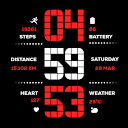
Matrix Digital WatchFace
Modern Matrix-style digital watch face with 13 colors and health data.
Updated:
Mar 9, 2026
Released:
Mar 8, 2026
Content rating
Everyone
Android required
Varies with device
Installs:
100+
Pricing
Paid
Interaction / notes
In-App Purchases
Category
app / personalization
Package name
Detailed description
Elevate your Wear OS experience with the perfect fusion of retro-digital aesthetics and high-performance functionality. Designed specifically for the modern user, this watch face brings a classic tech vibe to your wrist.
Timekeeping: Precise Digital clock with full support for both 12H and 24H formats.
Health & Fitness: * Detailed Step Counter for daily activity tracking.
Real-time Heart Rate monitoring to stay on top of your vitals.
Dedicated Distance Tracking displayed in Kilometers (KM).
Smart Info: Integrated Weather updates and Date display at a glance.
Battery Optimization: Features an Advanced Always-On Display (AOD) designed to maximize battery life without sacrificing style.
🎨 Customization Options
13 Vibrant Color Schemes: Match your watch face to your outfit or mood with a wide variety of colors.
Device Optimization: Specifically tuned for seamless performance on Samsung Galaxy Watch and Google Pixel Watch.
📥 Step-by-Step Installation Guide
Open Play Store: On your Wear OS smartwatch, navigate to the Google Play Store.
Search: Use the search icon and type "Matrix Digital WatchFace".
Install: Tap the Install button to download it directly to your device.
Set as Default: * Long-press your current watch face.
Swipe right to "Add Watch Face" or click the "+" icon.
Select Matrix Digital from the list to apply.
Personalize: Long-press the watch face again and tap "Customize" to choose from the 13 available color themes.
Timekeeping: Precise Digital clock with full support for both 12H and 24H formats.
Health & Fitness: * Detailed Step Counter for daily activity tracking.
Real-time Heart Rate monitoring to stay on top of your vitals.
Dedicated Distance Tracking displayed in Kilometers (KM).
Smart Info: Integrated Weather updates and Date display at a glance.
Battery Optimization: Features an Advanced Always-On Display (AOD) designed to maximize battery life without sacrificing style.
🎨 Customization Options
13 Vibrant Color Schemes: Match your watch face to your outfit or mood with a wide variety of colors.
Device Optimization: Specifically tuned for seamless performance on Samsung Galaxy Watch and Google Pixel Watch.
📥 Step-by-Step Installation Guide
Open Play Store: On your Wear OS smartwatch, navigate to the Google Play Store.
Search: Use the search icon and type "Matrix Digital WatchFace".
Install: Tap the Install button to download it directly to your device.
Set as Default: * Long-press your current watch face.
Swipe right to "Add Watch Face" or click the "+" icon.
Select Matrix Digital from the list to apply.
Personalize: Long-press the watch face again and tap "Customize" to choose from the 13 available color themes.
About Matrix Digital WatchFace
Developer
Website
—
Privacy Policy
Contact
Address
ALIGANJPURA, DHUNDHIYAVADI, JAMPURA PALANPUR Gujarat 385001 India
Permissions breakdown
Grouped as shown on Google Play. Informational only.
Wi-Fi connection information
1 items
• view Wi-Fi connections
Other
4 items
• view network connections
• pair with Bluetooth devices
• full network access
• Google Play license check
Screenshots
Preview images associated with this app listing.


Versions
For extended version history and archived records, see
the app record on mi9.com
.
Click “Versions” to load.
Comments
Click “Comments” to load.
Similar apps
Apps with similar tags/category.

Red Digital XL Watch Face
zolawatchfaces · Personalization

AD Nothing CompleX - WatchFace
Albuquerque Design · Personalization

WR 018 Digital Watch Face
SHIFRwatchface · Personalization

SuperInfo Watch Face Wear OS
SHIFRwatchface · Personalization

Digital Watch Face Key 014
Key Watch Face · Personalization

AD Nothing Classic - WatchFace
Albuquerque Design · Personalization
More from developer
Other apps from the same developer.


